


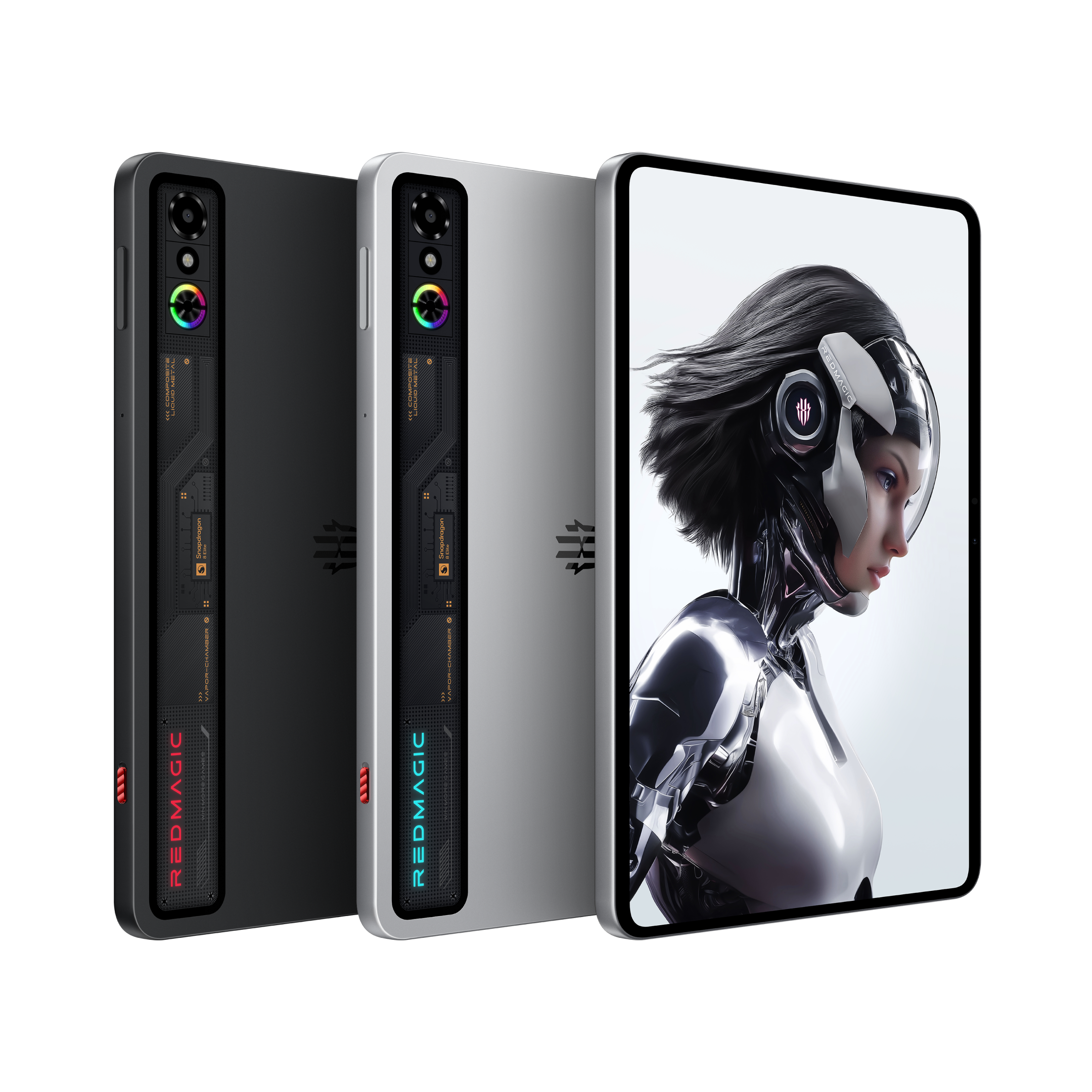


While the concept of gameplay hasn’t changed much throughout the years, we’ve found several ways to optimize, improve, and elevate the way we play through the technology we have. For most gamers, playing video games is a form of stress relief and a simple hobby to pass the time. However, avid gamers look to gaming to dominate the field, earn a living, and emerge victorious.
At REDMAGIC, we hope to cater to every genre of gamer, which is why we’ve made it easier for hardcore gamers to enhance their gameplay skills and potential. Today, we’ll be looking at how you can use your REDMAGIC device to record, take notes, and stream your gameplay with ease. For now, let’s look at why those would be important features in the first place.
Stay Ahead of the Game
The global online gaming market size was valued at US$ 225.28 billion in 2025 and is projected to grow to US$ 501.91 billion by 2034. In the age of influencers, those numbers will continue to skyrocket as streamers showcase their skills and gameplay with various popular video games online. Livestreaming has become a global and highly lucrative phenomenon that benefits developers and gamers alike, actively influencing purchases, stacking viewership, and creating dynamic communities within the industry.

So, it should come as no surprise that most modern gaming devices are created with the streamer crowd in mind. At REDMAGIC, we stay on top of the latest trends to keep our fans aligned with the best gaming experiences.
For those looking to amplify their gameplay, simply browse our collection of gaming smartphones and tablets, each primed to deliver the most exhilarating, optimized gameplay you could imagine. Now, let’s take a look at how you can use your REDMAGIC device to conquer every level of gameplay.
Keep Track of Every Win
A big part of strategic gameplay is being able to keep track of all the relevant information and moves. While most people might simply saunter through levels without much due diligence, we know that thorough gamers or those livestreaming for an audience would appreciate a bit of space to clarify thoughts and work on their next move.
Fortunately, REDMAGIC devices come with a unique Game Space central hub that allows players to adjust, monitor, and customize settings and features during the game. This feature provides optimized performance metrics, an array of compatible plugins, and several other handy tools to elevate your gameplay. Rather than a full walkthrough of the Game Space menu, we’re only going to focus on the notes and capture capabilities.
Within your Game Space menu, you will find the shorthand capture feature. This is handy for taking down notes in the middle of the game that you might need later on. This is especially useful in puzzle games and allows you to capture shorthand text that you might find helpful in a convenient floating window. It also allows you to reference captured images, like maps or lists from the game, and edit the information as you go along.

Now, to create your streaming content or YouTube gameplay videos, you need enough content in the first place. While livestreaming happens in the moment, you might want to edit and record your gameplay differently for your specific brand. In this instance, the recording features of your REDMAGIC device will come in clutch.
In your Energy Cube settings, under your Function Allocation tab, you can also adjust the On-Demand Recording quality and duration options. This feature captures gameplay with forward or backward recording. Adjusting the time here allows you to retroactively record a specific duration or record a future duration. This is mainly useful for capturing specific events that you might need to look back on or edit for a video later on, including kills or Gacha pulls.

Sourced from NL Tech
Now, on the other hand, the general Screen Record option in your Game Space overlay does not feature backwards recording like the On-Demand Recording feature we mentioned above. Instead, it will simply capture everything after you’ve hit record with system audio and overlays. This feature can record videos up to 144 FPS at the phone’s native resolution; however, users are advised to set the recording quality to high. To do so, head to Settings> Features > Record screen > Video Quality.
Another useful feature for streamers who may have limited space on their screens due to the livestreaming setup is the Screen Extraction feature. This allows you to cut a specific area of the screen and duplicate it onto another area of the screen to ensure full visibility for your audience and yourself.

Sourced from NL Tech
Keeping clear and detailed records of your gameplay gives you the precision content you need to share helpful gameplay tutorials or simply enjoy a more methodical manner of playing.
Stream for the Masses
Video game livestreaming has snowballed into a massive genre in the industry. Today, streamers can easily rake in enough cash through advertising and endorsements within their livestreaming platform of choice. Typically, streamers will take to Twitch, YouTube, or Facebook to kick off their gameplay showcase. With REDMAGIC, you can make that process all the easier.
Nobody wants to see glitchy or poor gameplay, graphics, and performance. This is why REDMAGIC devices are ideal for your livestreaming needs. Armed with the latest processors, innovative cooling systems, massive batteries, and a plethora of gaming features that will effortlessly push you through each level, REDMAGIC provides the ultimate platform for your livestreaming platform.
There are many ways to stream your content, such as using native apps, screen recordings, or PC capture. However, streaming is often the easiest choice, especially for beginners or anyone who prefers to stream without dealing with a capture device card. Not to worry, we also have a seamless solution for that as well.
Streamlabs is a software company that specializes in facilitating livestreaming on YouTube, Twitch, Facebook, Kick, TikTok, and more. Using the Streamlabs Mobile free app, you can easily stream from iOS or Android devices while having access to several key livestreaming features. Simply download Streamlabs Mobile on your REDMAGIC device from the Google Play store, adjust your profile and settings, and get to livestreaming with ease.
Within the list of useful REDMAGIC features, our X Gravity system also provides seamless connectivity and external input support for streamers. Found in the Game Space menu, you simply need to go through the X Gravity menu and connect whichever external peripheral you might need to best your opponent and elevate your gameplay. These include controllers, keyboards, monitors, and mice.

If streaming or cloud gaming is your cup of tea, our X Gravity feature also offers seamless support for streaming from consoles or PCs to your REDMAGIC device. This includes services like Steam Link, PlayStation Remote Play, and Xbox Cloud Gaming.
Amplify Every Game, Audience or Not
At REDMAGIC, we try to stay up to date with the current gaming climate and provide the essential tools you need to do the same. With streaming culture growing rapidly, we’re happy to adapt and optimize our features to fulfill growing demands. With REDMAGIC, you can always count on innovation that connects you to the world.